Xtractpler 3.6
The Fastest Way to Build Professional Sample Libraries Just Got a Whole Lot Smarter
From any instrument — hardware, software, or live — to a fully mapped, loop-ready sample library in minutes. With pristine 32-bit / 96 kHz fidelity and one-click export to 12+ professional formats.
What's New in v3.6
The most significant leap in Xtractpler's history — addressing every real-world friction point that serious sound designers encounter.
Tail Parameter
Never lose a reverb decay or pad release again. Set per-row tail capture time so sharp snares and lush pads coexist in the same session — your samples will breathe naturally.
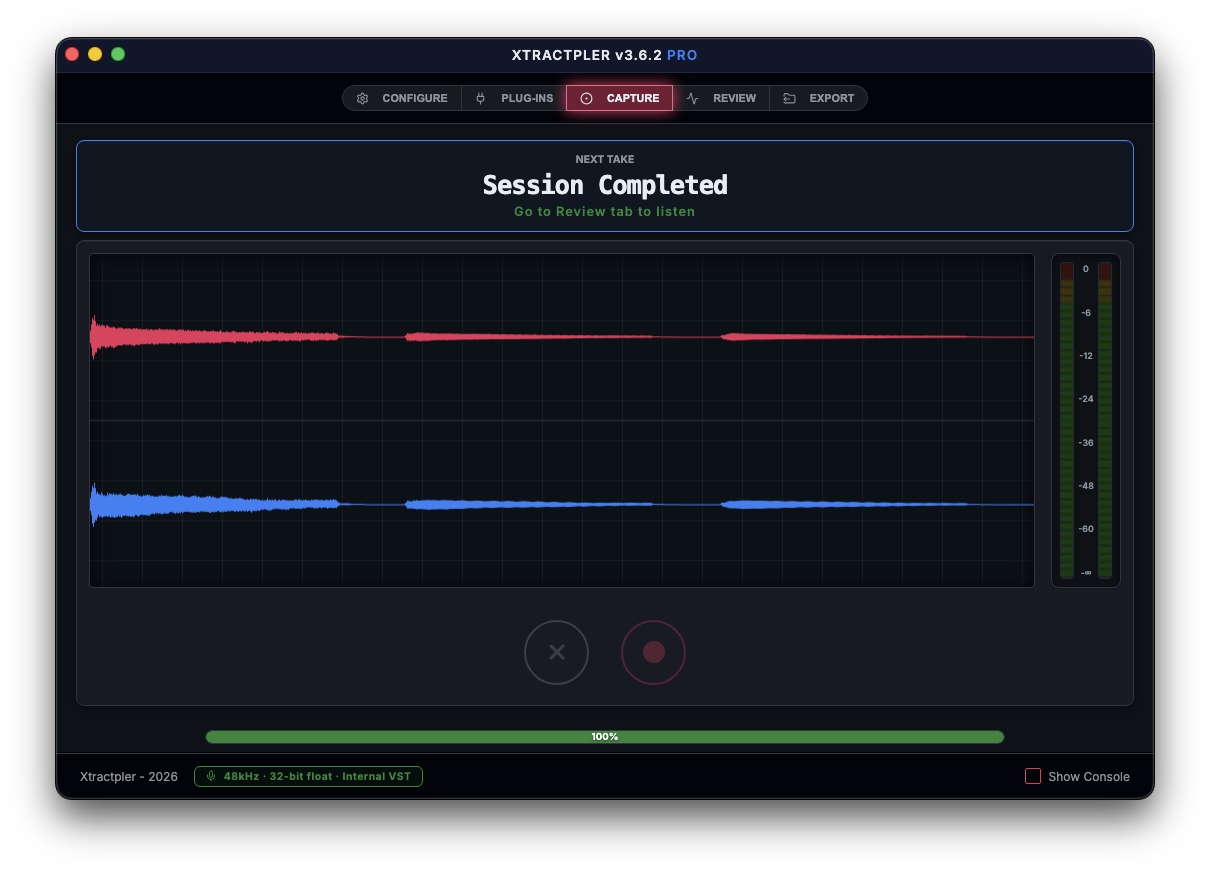
Real-Time Stereo Waveform
A redesigned dual-band display shows the left channel (top) and right channel (bottom) simultaneously — live during capture and interactively in the Review tab.
Auto-Loop Export
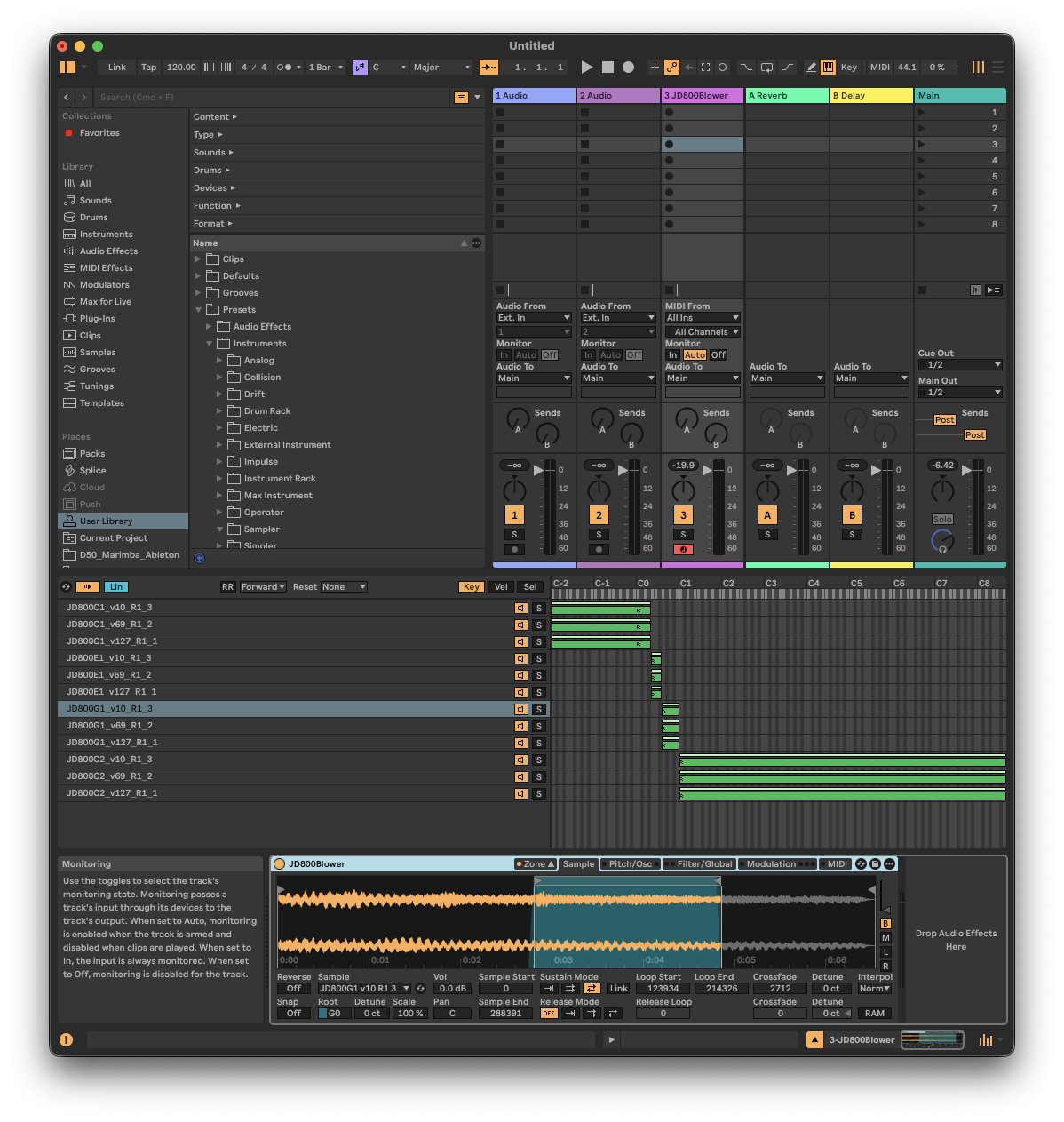
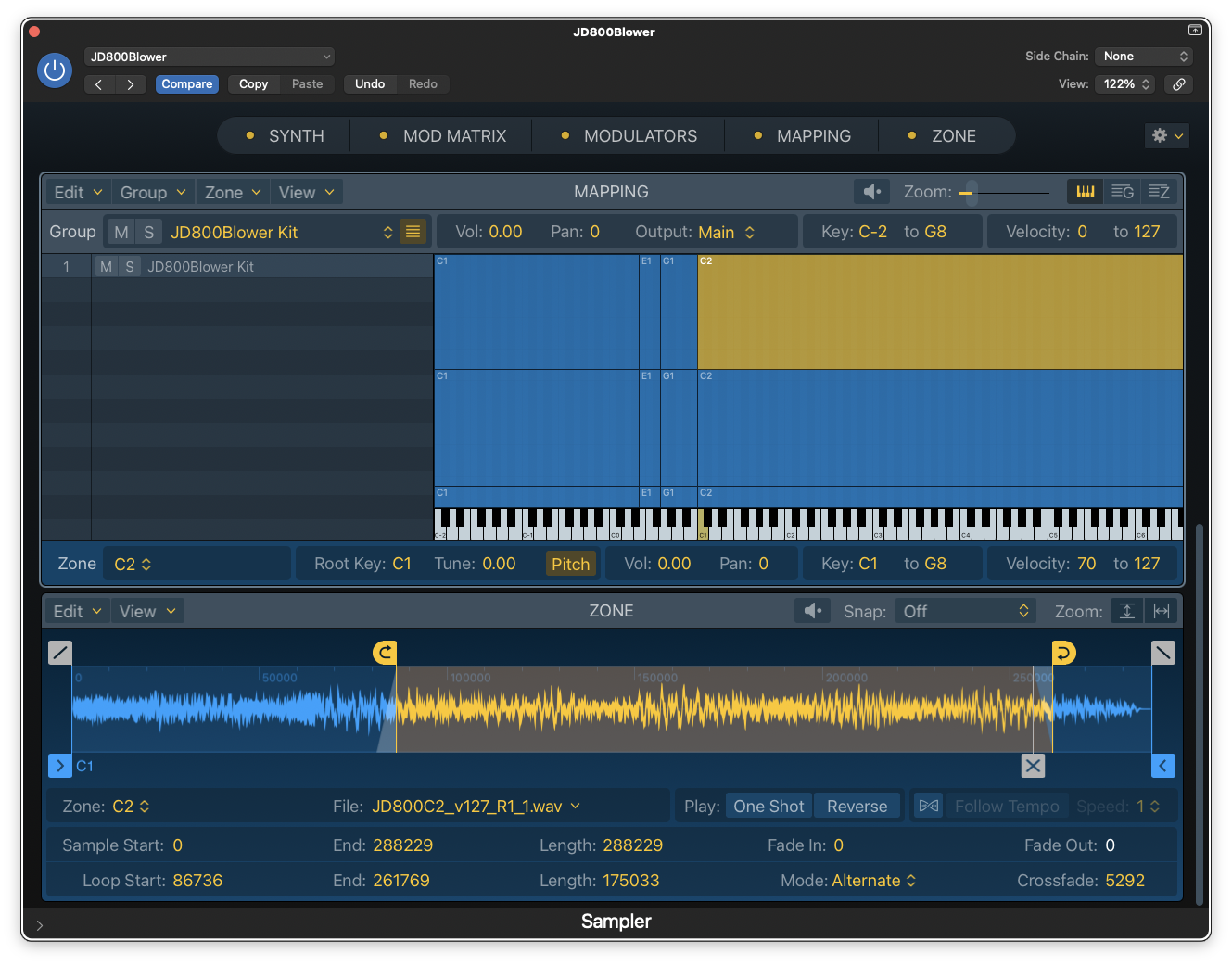
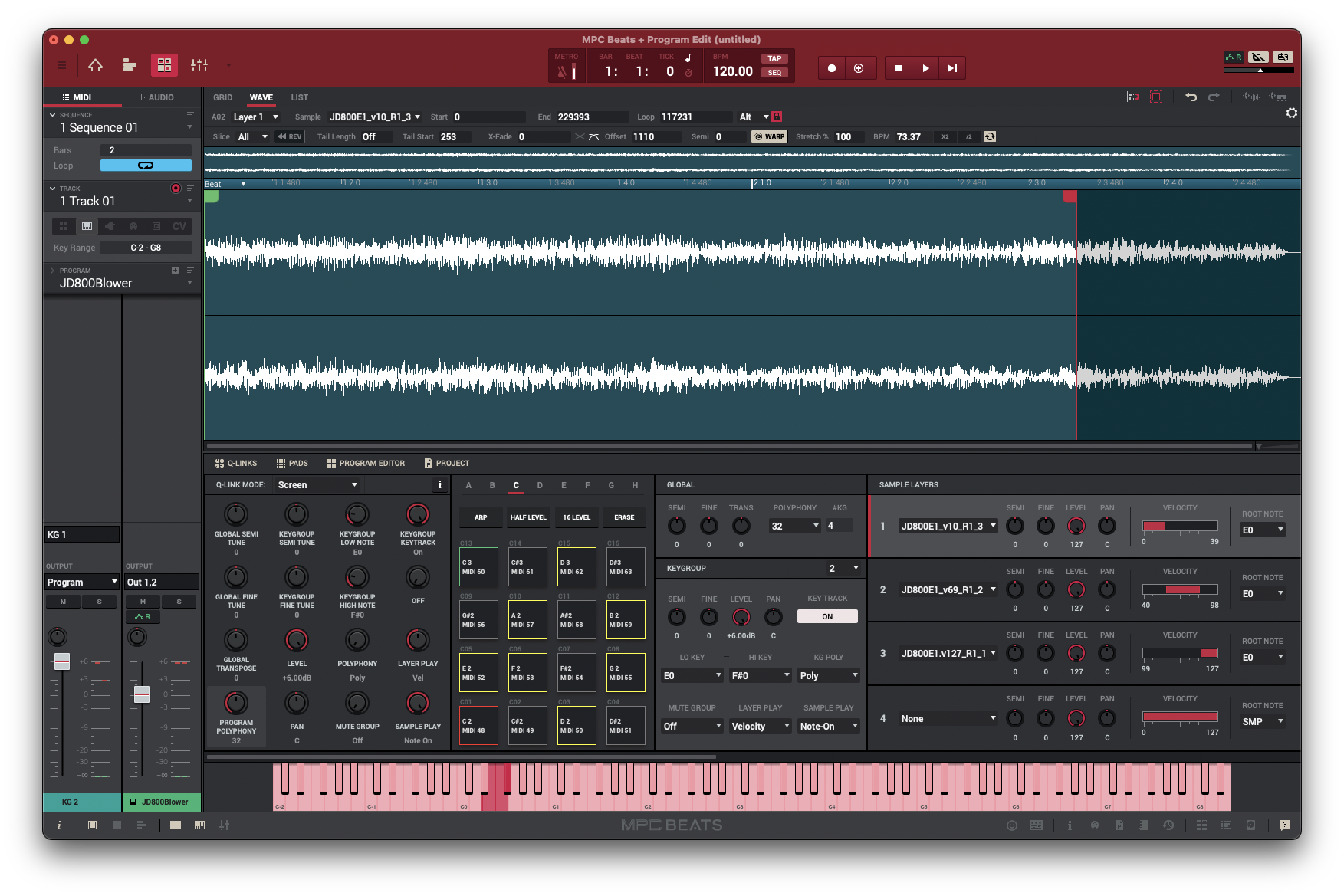
Xtractpler calculates seamless loop points, applies a crossfade, and writes loop metadata directly into your exported presets. One click — perfectly looping pads and keys in every format.
Dynamic Audio Routing
Total control over which hardware input channels, sample rate (up to 96 kHz), and recording format (32-bit float, 24-bit, 16-bit) Xtractpler uses — per session, per capture mode.
12+ Export Formats
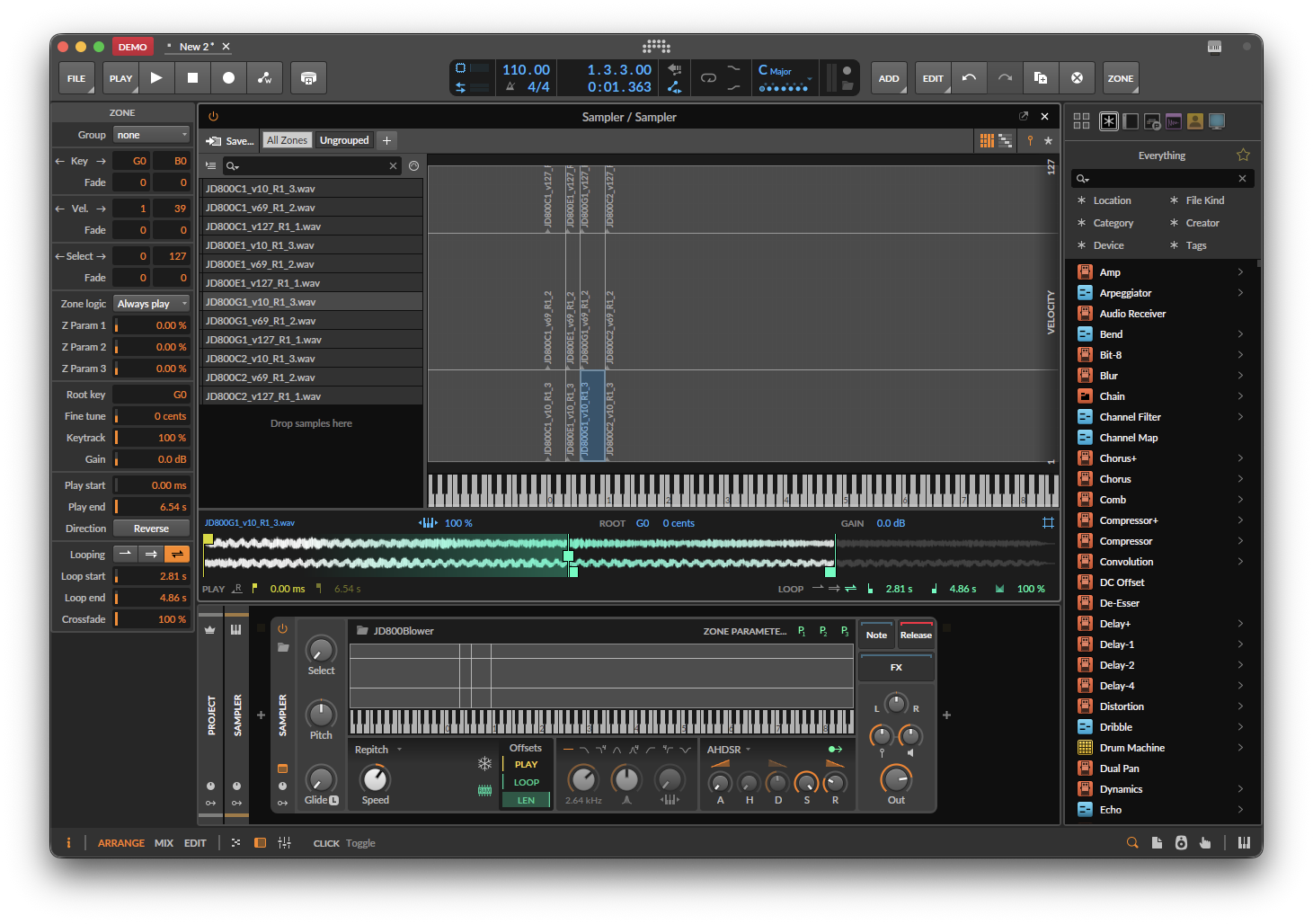
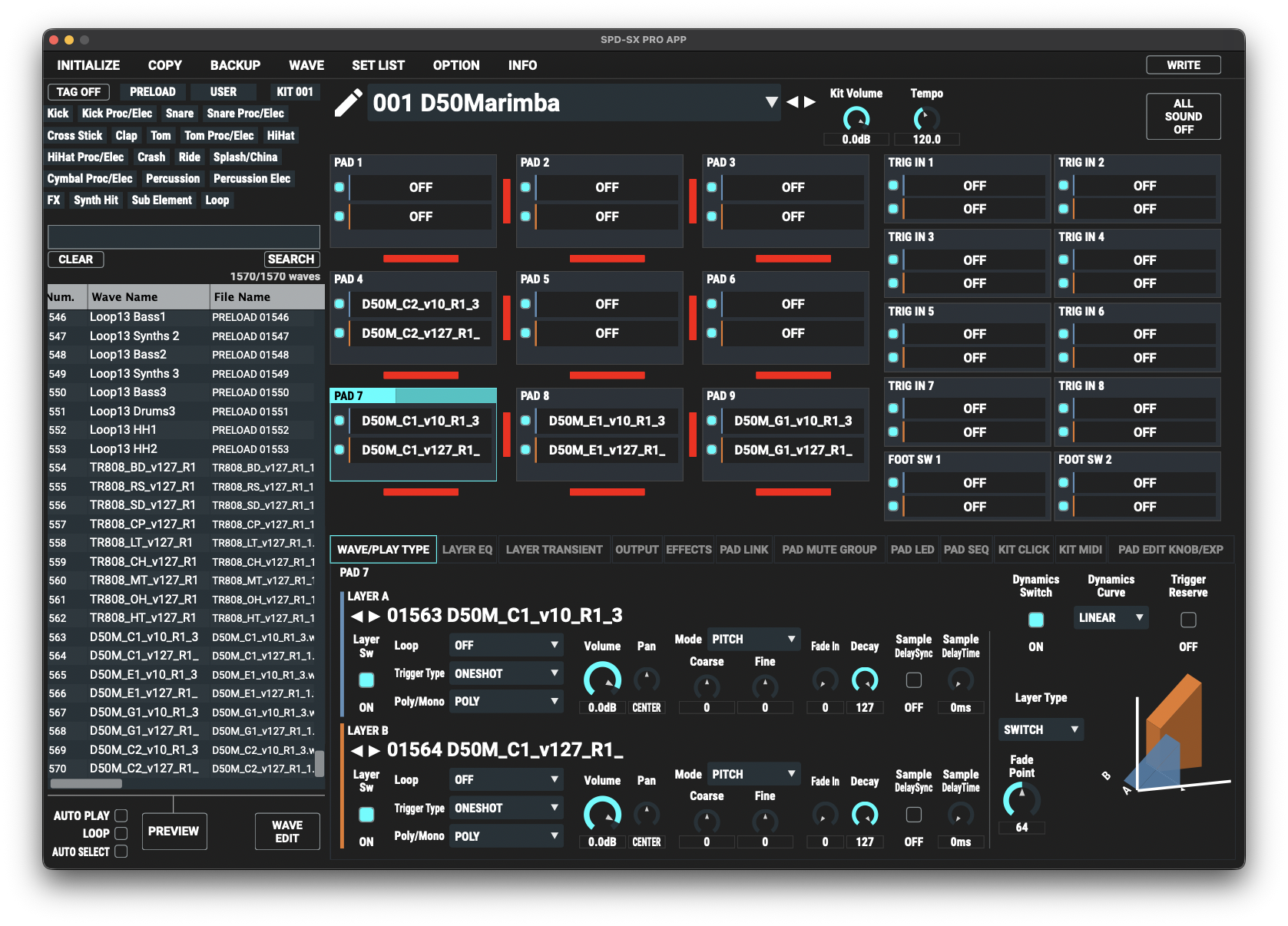
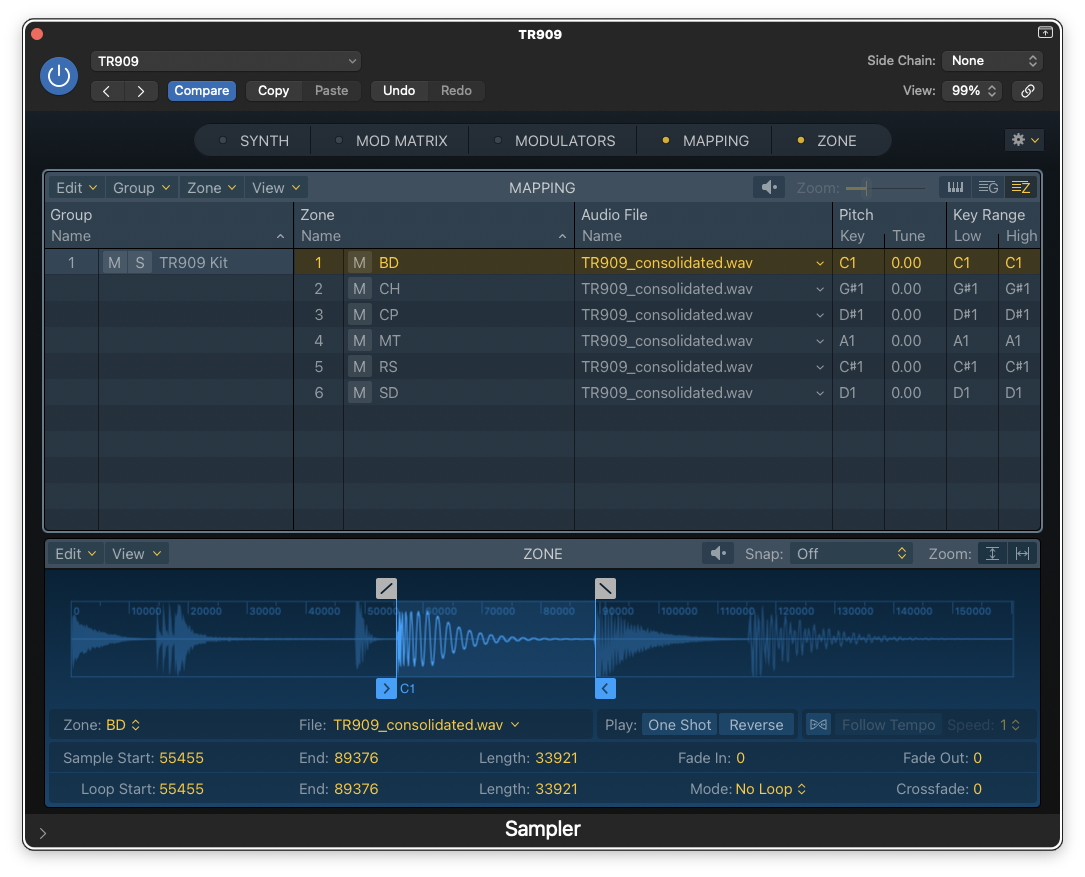
Standard license covers Decent Sampler, Ableton Sampler, Bitwig, Sitala, and SFZ. Pro adds Logic Pro EXS24, Ableton Drum Rack, Akai MPC, Hydrogen, Studio One, Elektron, and Roland SPD-SX PRO.
32-bit Float / 96 kHz
Choose between lossless 32-bit float, 24-bit, or 16-bit WAV at sample rates up to 96 kHz. A persistent footer badge keeps your active quality settings visible at all times.
Session Safety
Overwrite protection before any capture, Capture Path Lock so renames never break your session, and a real-time footer alert bar for status, warnings, and confirmations.
In-App Pro Upgrade
Unlock all Pro & Hardware formats instantly from inside Xtractpler — no re-download, no reinstall. File → Upgrade to Pro or Cmd/Ctrl+Shift+U.
Fully Cross-Platform
Native builds for macOS (Apple Silicon), Windows 10/11,
and Linux — same five-tab workflow everywhere. All .xcfg
projects from v3.0 are fully compatible.
The Tail Parameter — Never Miss a Note Release
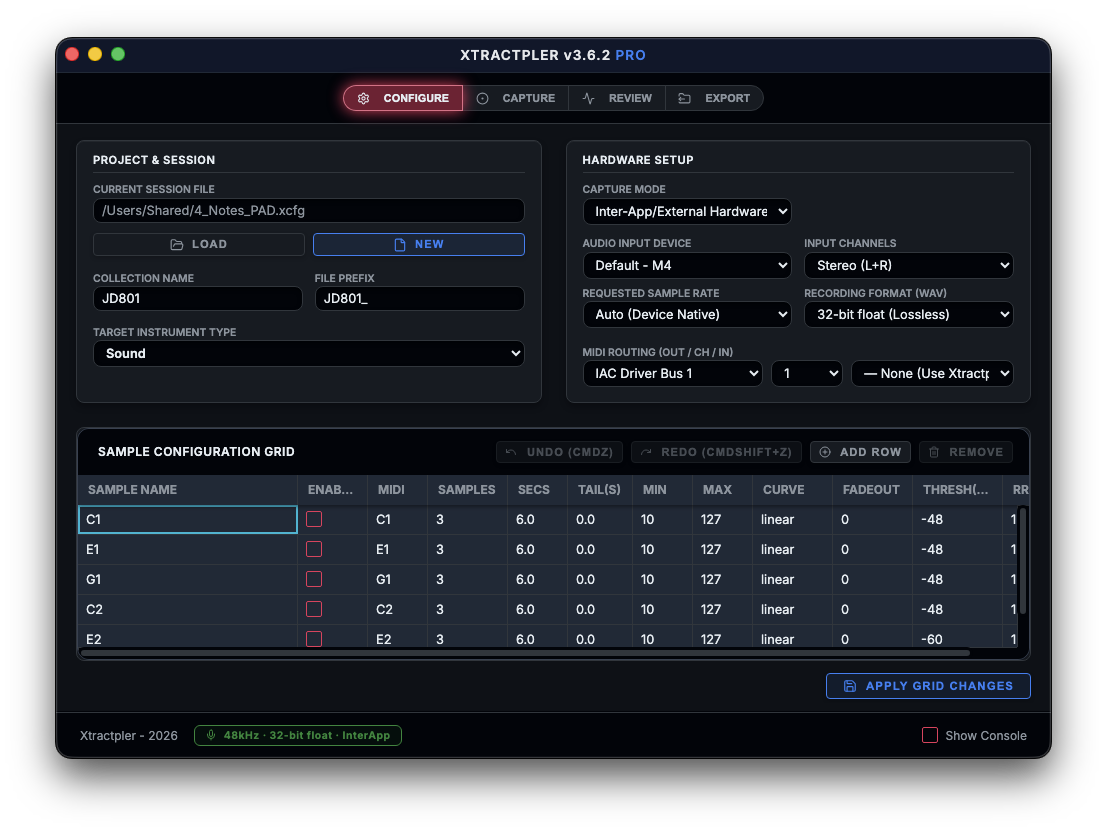
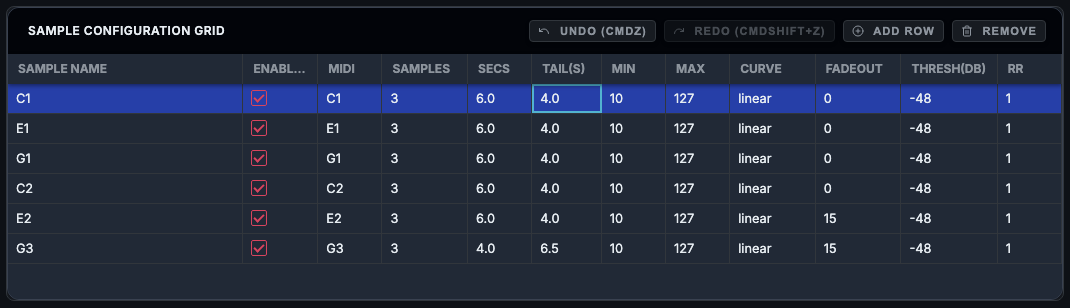
Every pad, piano, or reverb-drenched lead keeps sounding after the note ends. With the new Tail(s) column in the Sample Configuration Grid, you simply enter how many seconds of release to capture per row.
A sharp snare set to 0 s and a lush string pad set to 4 s can live in the same session without compromise. Your samples will breathe naturally. Your instruments will feel alive.
Per-Row Tail Configuration
Complete creative freedom over how much release each instrument row captures — without touching any other row.
- Per-row setting — Assign a different tail duration to every row in your grid. Short for drums, long for synth pads.
- Zero friction — One column, one number. Xtractpler handles the timing and slicing automatically.
- Session-level control — Collection Name and File Prefix are now set once in Configure, preventing any misnamed export job.
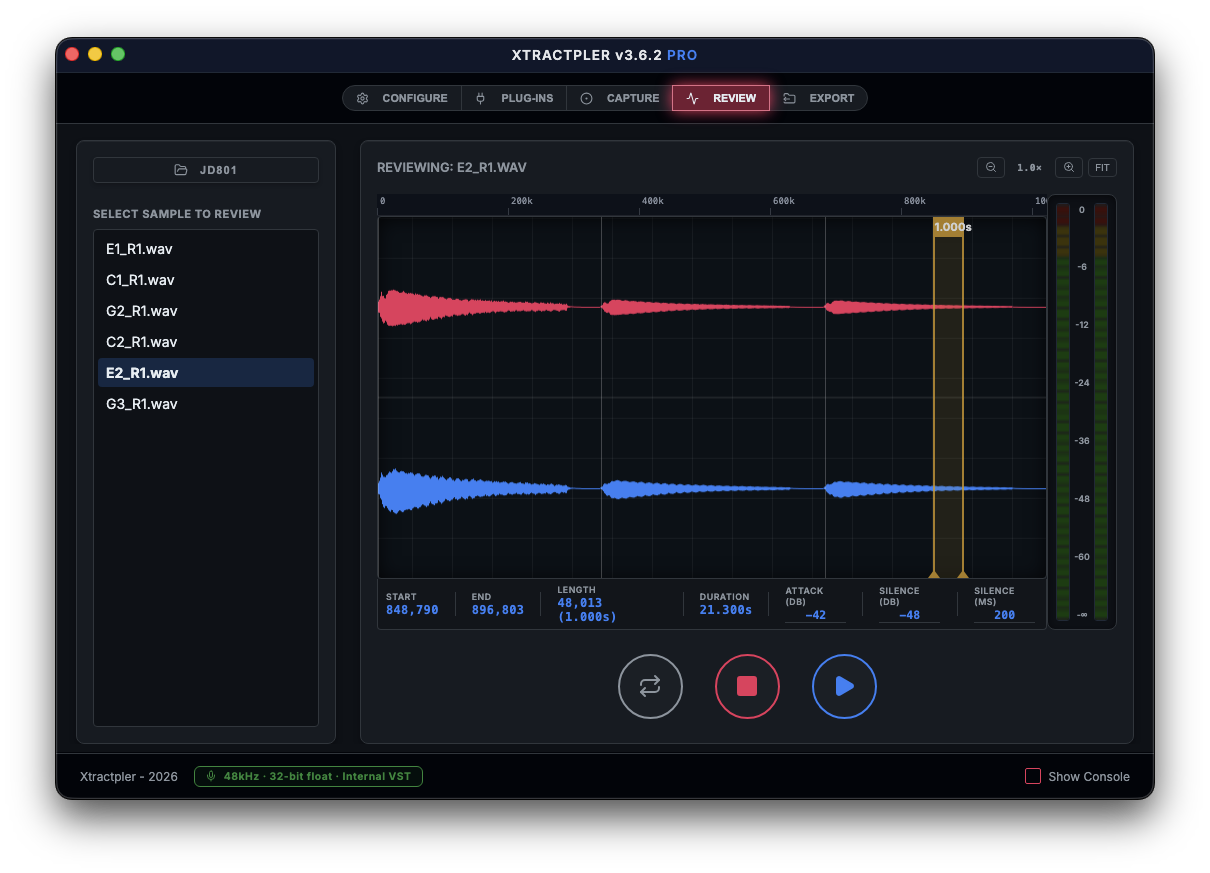
Real-Time Stereo Waveform Display
See exactly what you are capturing — left channel on top, right channel on bottom — live during capture and interactively in the Review tab.
- Dual-band view — Instant visual feedback on stereo imaging, signal levels, and transient accuracy without leaving the app.
- Interactive Review tab — Loop region markers, transient detection overlays, and DAW-style drag controls for Attack and Silence thresholds.
- Loop analytics — On-screen metadata showing exact loop Start/End points, length in frames, and total duration in seconds.
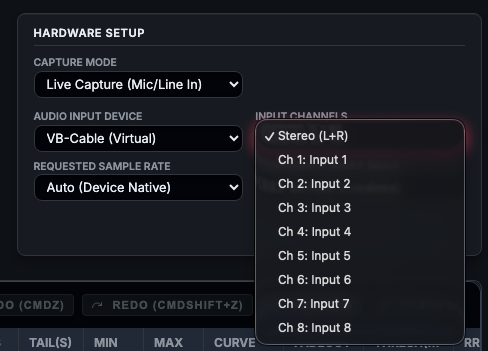
Total Control Over Audio Routing
The overhauled Hardware Setup is now the single authoritative place for every aspect of how audio enters Xtractpler.
- Dynamic channel selection — Input channels populated directly from your device hardware: MOTU M4, Focusrite Scarlett 18i20, VB-Cable (8 ch), loopback, and more.
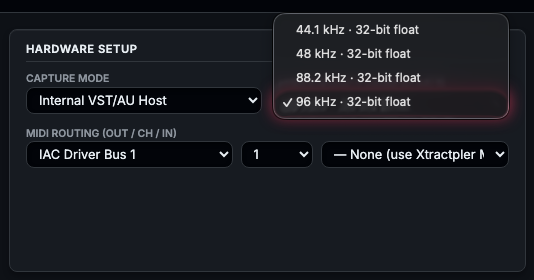
- Sample rate control — Auto, 44.1 kHz, 48 kHz, 88.2 kHz, or 96 kHz — per session.
- Recording format — 32-bit float (lossless), 24-bit, or 16-bit WAV output. Export Quality Mismatch Warning alerts you with a one-click MATCH button if settings don't align.
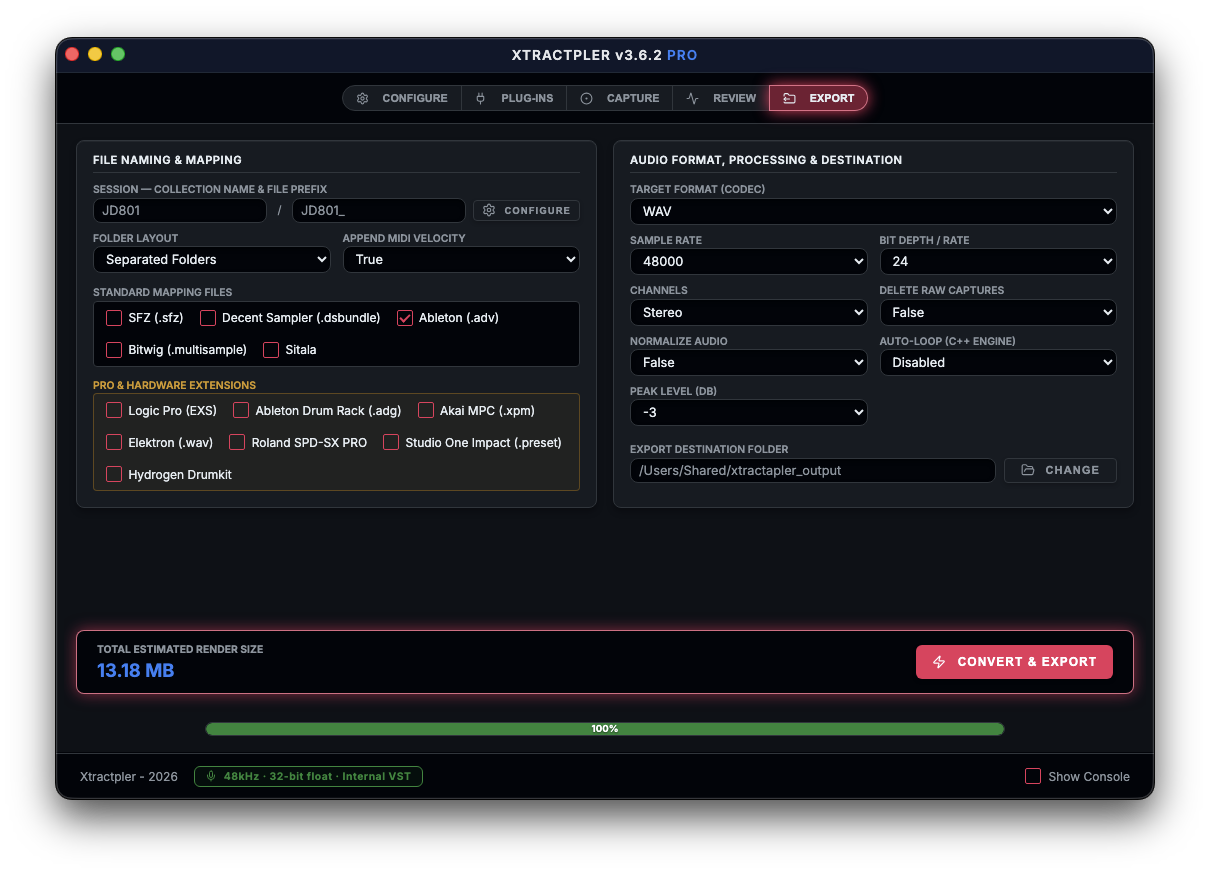
Auto-Loop Export — Seamless Loops, Zero Effort
Xtractpler automatically calculates seamless loop points, applies a crossfade, and writes loop metadata directly into each exported preset.
- One click — Pads, strings, and keys loop perfectly inside Logic Pro, Ableton Live, Decent Sampler, and more. No separate looping tool needed.
- Velocity-aware mapping — Every format receives carefully constructed velocity layers, round-robins, ADSR envelopes, and note ranges — all pre-configured.
- Free formats — Decent Sampler (.dsbundle), Ableton Sampler (.adv), Bitwig (.multisample), Sitala, and SFZ included in the standard license.

A Smarter, Safer Workflow
A set of thoughtful quality-of-life features that eliminate the small mistakes that ruin a long capture session.
- Overwrite protection — A confirmation dialog appears before any existing files are overwritten. Never lose a good take by accident.
- Capture Path Lock — The raw capture folder is remembered for the entire session. Renaming the collection never breaks file management or exports.
- Persistent footer alerts — Status messages, quality warnings, and the active Capture Quality Badge are always visible at the bottom of the app.
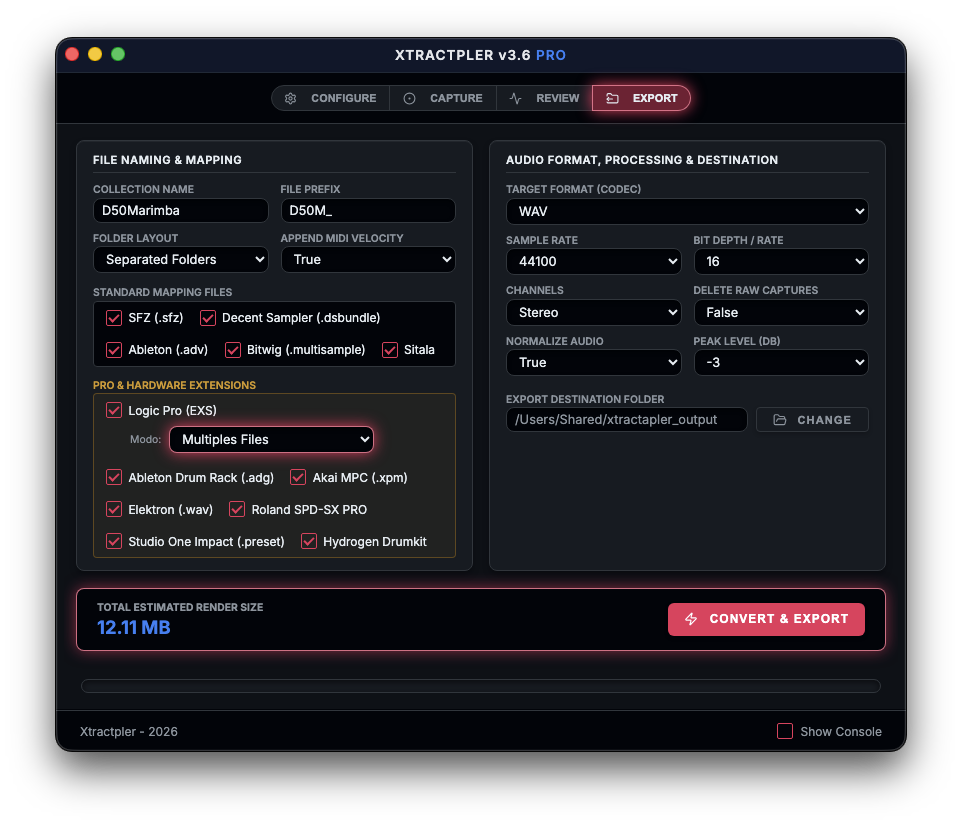
Pro & Hardware Export Formats
Unlock all professional and hardware formats with a single in-app upgrade — no reinstall required.
Standard (Free License)
- Decent Sampler (.dsbundle)
- Ableton Sampler (.adv)
- Bitwig (.multisample)
- Sitala
- SFZ
Pro (Upgrade In-App)
- Logic Pro EXS24
- Ableton Drum Rack (.adg)
- Akai MPC Beats (.xpm)
- Hydrogen Drumkit
- Studio One Impact
- Elektron (Digitakt / Analog Rytm)
- Roland SPD-SX PRO
Internal Capture (VST3 / AU) & Offline Render
When your sound lives inside plug-ins, Internal (VST3/AU) capture renders through your chain without relying on real-time playback headroom.
- Offline Audio Render — The host-style offline pass slashes capture time versus traditional real-time recording, especially on dense instrument stacks.
- Repeatable results — Same grid, same chain: ideal for batching velocities and round-robins with minimal drift.
- Cross-platform — VST3 on Windows and Linux; VST3 and AU on macOS, all from the same tabbed workflow.
See It in Action
Native builds for macOS (Apple Silicon), Windows 10/11, and Linux — the same five-tab workflow and professional results on every platform.
macOS — New Tail Column
Capture — Stereo Waveform
Review — Interactive Waveform
Try Xtractpler for Free
Download the fully functional demo and start building sample libraries right now. (Demo is limited to 3 velocity rows and 1 round-robin per session.)
Professional Export Showcase
Sample-accurate loops, crossfades, and multi-velocity mapping — delivered ready-to-play across the industry's leading DAWs and hardware samplers.
Get Xtractpler
One perpetual license per platform. Free update for all existing v3.0 and v3.5 license holders.